sumi: Flashcards & Revision
Your Anki decks, on your iPhone.
For students and language learners who already use Anki.
£9.99, once. No subscription, no ads, no account.

Free to try with 1 deck, 100 cards and 2 imports. Then £9.99, once.
sumi: Flashcards & Revision is a flashcard app for iPhone and iPad that imports Anki .apkg decks. £9.99 once, no subscription, no account.

"sumi helped me cram in last minute revision for Uni - the import feature was a lifesaver!"
"It was easier to import decks with this app than with others."
01 Anki import
From your laptop to your phone, in three steps.
If your deck lives in Anki on a laptop, or you downloaded a shared deck, it can come with you.
Export from Anki
In Anki on your computer, export the deck as an .apkg file. Shared decks are usually .apkg already.
Import into sumi
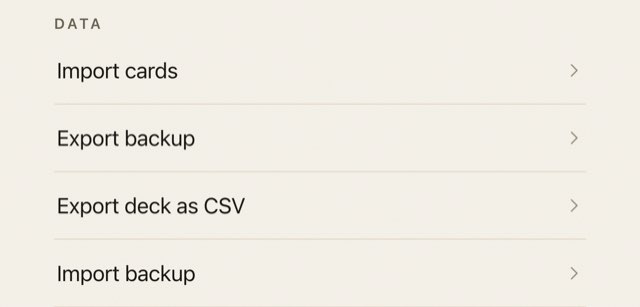
Open Settings, tap Import cards and choose the file. Decks with images and cloze cards import, and so does audio.
Revise anywhere
On the bus, in the library, the night before the exam. One card at a time.
One honest limit: your cards come across, but Anki review history and scheduling do not. Imported cards start fresh.
Sample card: Bonjour. Show the answer
Answer: Hello
02 Price
Pay once. Keep your decks.
Try it with your own deck first. If it suits you, buy sumi Pro, £9.99 once, and it is yours.
Free
£0
to try with your own deck
- 1 deck
- 100 cards
- 2 imports
sumi Pro
£9.99
one payment, through the App Store
- The full app
- No subscription
- No ads
For comparison, AnkiMobile costs £24.99 on iPhone (App Store price, Oct 2026). Anki on desktop and AnkiDroid are free, and they are good software. Refunds follow Apple's standard App Store process.
Import a deck free, then decide.
Get sumi on the App Store03 Privacy
No account. Nothing leaves your phone.
sumi works without a sign-up and fully offline. Read the privacy policy.
- No accountOpen the app and start. No email, no password.
- No trackingNo trackers and no ads.
- Stays on devicesumi never sends your decks or study data anywhere. Studying works fully offline; only buying or restoring sumi Pro talks to the App Store.
- The trade-offThere is no sync between devices. To keep a copy, use Export backup.
04 Is it for you
Who sumi is for, and who it is not.
A good fit if
- Your Anki deck is stuck on a laptop and you want it on your iPhone.
- You would rather pay once than subscribe.
- You want a flashcard app that needs no account.
Not for you if
- You need Android, Mac or the web. sumi is iPhone and iPad only.
- You need your cards to sync between devices.
- You need your Anki review history to carry over.
05 Questions
Plain answers.
Can I open Anki .apkg files on iPhone without AnkiMobile?
Yes. sumi: Flashcards & Revision imports Anki .apkg decks on iPhone and iPad. Decks with images and cloze cards import. The cards come across; review history and scheduling do not.
How much does sumi cost?
sumi Pro costs £9.99 once. There is no subscription and there are no ads. The free tier allows 1 deck, 100 cards and 2 imports, so you can try your own deck first.
How much is AnkiMobile compared with sumi?
AnkiMobile costs £24.99 on iPhone. sumi costs £9.99 once. Anki on desktop and AnkiDroid are free.
Does the Anki import keep my review history?
No. sumi imports the cards, including images and cloze cards, but not review history or scheduling. Imported cards start fresh.
Do I need an account?
No. sumi needs no account and has no tracking. sumi never sends your decks or study data anywhere. Studying works fully offline; only buying or restoring sumi Pro talks to the App Store. Your decks stay on your device.
Does sumi sync between my iPhone and iPad?
No. There is no sync between devices. Backup is a manual export, because nothing leaves the device.
Does sumi work offline?
Yes. Studying works fully offline. Only buying or restoring sumi Pro talks to the App Store, and sumi never sends your decks or study data anywhere.
Is there a Quizlet alternative without a subscription?
Yes. sumi: Flashcards & Revision costs £9.99 once as sumi Pro, with no subscription and no account. It imports Anki decks, and your decks stay on your device. It is free to try with 1 deck, 100 cards and 2 imports.
Is sumi available on Android, Mac or the web?
No. sumi is for iPhone and iPad only.
Try it with your own deck.
Import a deck free. Get sumi Pro, £9.99 once, if you keep it.
iPhone and iPad. Free tier: 1 deck, 100 cards, 2 imports.